
What Colorado VINE Covers
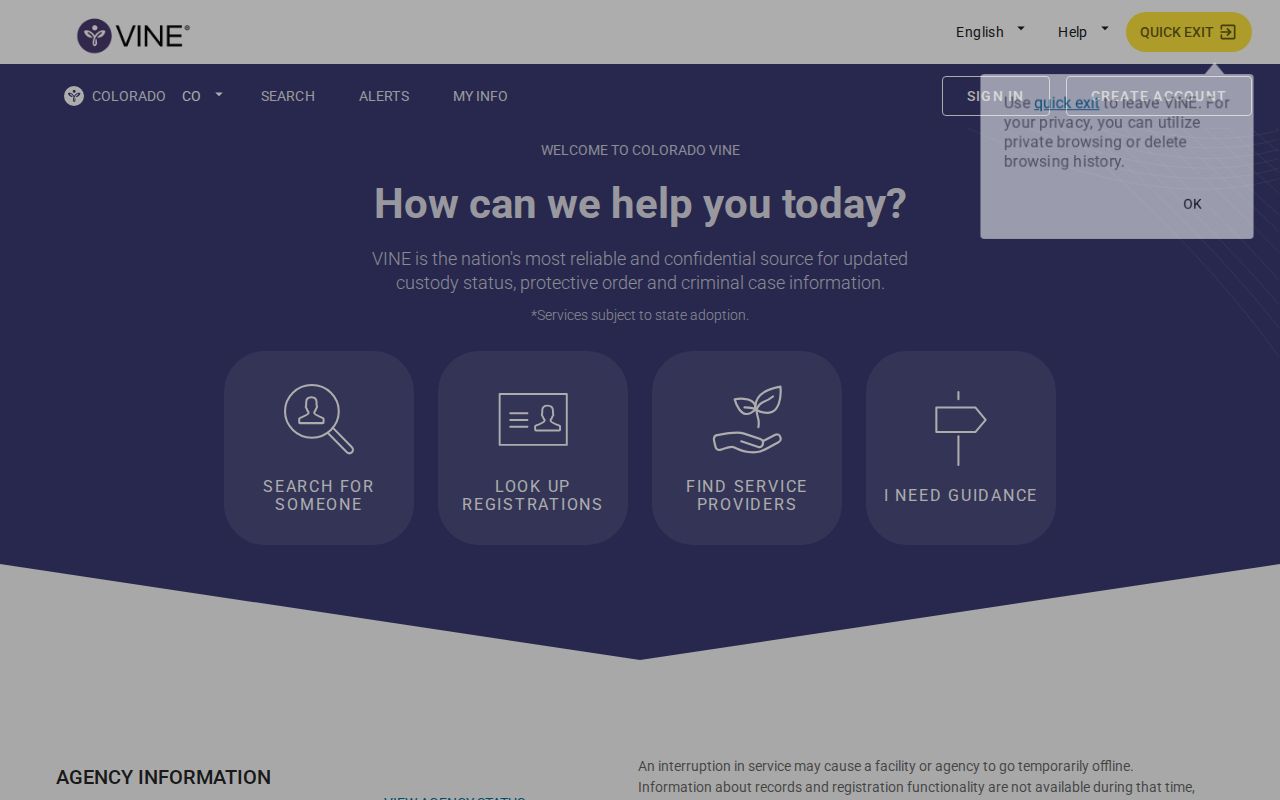
Colorado VINE is the statewide victim notification and custody-status service for Colorado. The state entry point is Colorado VINE, with an alternate state route at VINELink Colorado. Colorado-local sheriff materials describe COVINE as a free, 24-hour English and Spanish service, with a toll-free number of 1-888-263-8463, that provides custody status information for jail inmates in participating Colorado county jails and sends automatic custody-status notices to registered users.
For Conejos County, that coverage has to be stated carefully. The research sweep did not locate an official Conejos County online jail roster, 24-hour release feed, 72-hour release feed, or sheriff inmate app. That makes VINE useful, but it does not turn VINE into a county release database. If the Conejos County Jail custody event is in a participating feed, VINE may show the status and may allow a notification registration. If the booking is old, the spelling is different, the agency feed is not present, or the person is outside VINE coverage, a no-result is not proof that the person was never booked or released.

How to Search One Person
Start with the custody system that fits the case. For a person booked into Conejos County Jail on a local arrest, bond matter, misdemeanor sentence, probation warrant, or hold, use VINE as a fast status check and call the jail at 719-376-2196 when timing matters. For a person sentenced to a Colorado prison term, use the CDOC offender search. For a bond, disposition, probation order, or sentencing entry, use the Colorado Judicial Branch docket search and Conejos court resources.
- Open Colorado VINE and confirm the state is set to Colorado.
- Search by the person's name or identifier where the interface allows it.
- Try spelling variants, prosecuted names, and shorter name starts if the first search fails.
- Open the matching result and read the custody status, agency, facility, and case details shown.
- If the person is still in custody and VINE offers registration, use the notification option before the expected release time.
- If VINE shows released or out of custody, treat that as a custody-status notice and confirm the exact release date and reason with the agency that held the person.
- If no result appears, continue with the sheriff, court, CDOC, BOP, or ICE path instead of treating the no-result as proof.
Conejos County is rural, and release confirmation often depends on direct contact rather than a public feed. The main local jail page for this site is Conejos County Jail. The jail and sheriff information line is 719-376-2196, and directory sources place the jail at 14044 County Road G.5, Antonito, CO 81120. If a release is expected the same day, call before traveling because VINE, court entries, and internal jail processing may not update at the same moment.
What a VINE Result Shows
VINE usually reports custody status, not the full discharge file. A result may show a status such as released, out of custody, in custody, or another custody event depending on the source feed. It may identify an agency or facility and may provide a way to register for future alerts. It should not be read as the booking sheet, release reason, sentencing order, or CDOC time-computation record.
| VINE field or signal | How to use it for Conejos County |
|---|---|
| Custody status | Use it as a current status or alert clue. Confirm the release date and release type with the sheriff, CDOC, court, BOP, or ICE. |
| Agency or facility | Check whether the record points to Conejos County Jail, another Colorado jail, CDOC, or a different agency before deciding where to request proof. |
| Case or custody detail | Use any case number, charge reference, or agency label to narrow the Conejos court docket or records request. |
| Notification option | Register while the person is in custody if you need a custody-change alert. Do not wait until after release if the event is imminent. |
| No result | Search alternate spellings and then check sheriff, court, and CDOC sources. No result can mean coverage, timing, retention, or spelling limits. |
Register for Release Alerts
VINE is strongest before the release happens. If you find the person while VINE still shows an active custody record, register for notifications so the system can contact you when the custody status changes. The current interface may change over time, but the research-supported flow is consistent enough to use as a checklist.
- Find the person in Colorado VINE.
- Choose "Get Notified" or the current registration action.
- Select the available delivery method, such as phone, email, text, TTY, or app notification.
- Enter the contact information and language or delivery preference requested by the interface.
- Create a PIN for phone notifications where the system prompts for one.
- Confirm the registration and save the PIN because phone alerts may require the PIN to acknowledge the message.
- Update or cancel the registration if the phone number or email address changes.
For Conejos County Jail, a VINE alert should trigger a follow-up if you need the official reason the person left custody. Ask the sheriff whether the person was released to the community, released on bond, released after a court order, transferred to another county, transferred to CDOC, or moved to federal or immigration custody. Those categories can look similar to a family member watching a status change, but they are legally different events.
Limits Before You Rely on VINE
VINE is not a federal inmate locator, not a complete Conejos County records portal, and not a court disposition database. It may not show a person held by the Bureau of Prisons, the U.S. Marshals Service, or ICE. It may not retain older county jail events. It may lag behind jail processing. It may also miss a person because the booking name differs from the name you are searching.
Use this confirmation chain when the status matters. First, call the Conejos County Sheriff's Office or jail at 719-376-2196 for local custody confirmation. Second, search the Conejos court path through the Judicial Branch docket or Conejos Combined Court if the release may have been caused by bond, dismissal, sentencing, probation, warrant recall, or time served. Third, search CDOC if the court record shows a sentence to the Department of Corrections or a transfer to prison. Fourth, use BOP, USMS, ICE, or EOIR resources only when the release record indicates a federal or immigration path.
The proof source is the office that created or controls the record. A Conejos jail release date comes from the sheriff or a record of official action. A prison projected date or discharge status comes from CDOC. A bond order, disposition, sentence, mittimus, probation order, or sealing status comes from the court. VINE helps you notice a custody change quickly, but it does not replace those records.
If VINE Has No Match
A no-match screen is a starting point, not the end of the search. Colorado VINE depends on participating data feeds, current interface rules, spelling, and retention. Conejos County research did not confirm a public local roster that can be used to cross-check VINE in real time, so a missing VINE result should be handled as a routing problem. The person may be listed under the arresting or prosecuted name, may have a hyphenated or compound last name entered differently, may have already aged out of the notification record, or may have moved to a system that VINE does not cover.
When this happens, separate the question into three smaller checks. First, ask the Conejos County Jail whether the person is currently in custody or has a release record tied to the booking. Second, search the court path for the reason custody ended, especially bond, dismissal, sentencing, probation, warrant recall, or mittimus. Third, search CDOC if the case became a prison sentence. If immigration or federal custody is possible, VINE is not the right proof source; use the ICE locator, immigration-court status, federal court, USMS context, or BOP locator depending on the record.
Also check timing. A release processed late in the day, on a weekend, or around a court event can appear in different systems at different times. Call the jail before making plans based on an alert alone.
Sheriff, Court, and CDOC Proof
After a VINE search, write down the exact name searched, the date and time of the search, the custody status displayed, and any agency or case details. Then match that information to the correct proof source. The Conejos Combined Court contact page lists mailing address P.O. Box 128, Conejos, CO 81129, temporary physical address 603 Main Street, Antonito, CO 81120, phone 719-376-5465, and email conejosclerk@judicial.state.co.us. Those court details matter when the release came from a bond hearing, sentencing entry, or probation order.
CDOC is different. The Colorado Department of Corrections offender search uses DOCNO, last name, first name, and gender. Its search tips explain that DOCNO is the primary identifier and that name searches return names beginning with typed letters. If a Conejos case resulted in a felony prison sentence, CDOC may show prison status, estimated parole eligibility, next parole hearing, estimated mandatory release, or estimated sentence discharge. Those are prison sentence fields, not county jail release fields.
Keep copies of any status details you see, but avoid treating screenshots as the final record. VINE, CDOC, court vendors, and public docket tools can update after a release, and some records may become unavailable because of sealing or access limits. If the exact release date, release reason, or transfer agency matters, ask the originating office for the record rather than relying on a cached search result.
Public Record Search
Sponsored Results